
When “Just a Cable” Isn’t: How Pro-Grade HDMI and USB-C Cables Save AV Integrators Time, Trust and Budget
Walk into any meeting room or live event and you’ll hear the same quiet hum of gear doing its job: sources, extenders, switchers, displays. The unsung heroes tying it all together those short runs of copper between devices rarely get a starring role. But if you’ve ever stared at a black screen while a client waits, you know: “just a cable” can make or break a professional AV system.
In this guest post, I’ll unpack why cabling merits a seat at the design table, not the junk drawer. Using two technical white papers as our foundation one on HDMI cable integrity and one on next‑gen USB‑C‑to‑HDMI adapter cables we’ll turn hard‑earned lab findings into practical guidance you can spec, deploy and defend.
The Hidden Bottleneck: When a 3‑Meter HDMI Cable Takes Down a System
A real‑world case: an HDBASET‑based AV system, running known‑good endpoints and correct configuration, refused to send video to the display. Nothing exotic here just a 3‑meter passive HDMI cable from a familiar brand. The failure was repeatable under controlled conditions, which made it the perfect candidate for structured diagnostics. The verdict: total signal loss, not merely signal degradation.
Why? The failing cable quietly violated parts of the HDMI standard. Critical details like proper per‑pair TMDS shielding and a correct DDC Power Ground on pin 17—were missing. Those omissions tanked high‑speed stability and derailed EDID/HDCP/CEC behavior. In an HDBASET environment, where signal integrity is non‑negotiable, those “small” deviations become fatal.
Swapping in a known‑good reference cable restored full functionality immediately. The “why” came down to the basics done right: true HDMI 2.0 (18 Gbps) bandwidth, dedicated shielding for each TMDS pair with correct termination (pins 2, 5, 8, 11), proper DDC grounding on pin 17, excellent EMC performance and certification as an HDMI Premium Cable—plus cross‑manufacturer compatibility testing.
Takeaway: In pro AV, cable compliance isn’t a nice‑to‑have. It’s system stability.
Anatomy of a Compliant HDMI Cable (and Why It Matters)
If you’ve ever dealt with “mystery” blackouts, odd resolutions or intermittent handshakes, you’ve met the downstream effects of poor shielding, missing grounds or sloppy terminations. The HDMI stack—video data over TMDS, EDID for display capabilities, HDCP for content protection and CEC for control depends on clean, standards‑conformant pathways. When TMDS pairs aren’t individually shielded and properly terminated, the high‑speed lanes are exposed to crosstalk and EMI. When DDC ground (pin 17) is mishandled, EDID/HDCP/CEC reliability craters.
A field‑ready cable should therefore tick four boxes before it ever touches a rack:
1. Bandwidth headroom: Full 18 Gbps for HDMI 2.0 ensures 4K60 support without weird compromises in chroma or color depth.
2. Shielding discipline: Each TMDS pair needs dedicated shielding and precise termination. This is not optional flair; it’s part of baseline signal hygiene.
3. DDC/grounding correctness: Proper DDC GND on pin 17 underwrites EDID/HDCP/CEC. Treat it as a first‑class requirement, not a schematic footnote.
4. EMC robustness + certification: Real EMC performance and recognized certification reduce the “unknown unknowns” in mixed‑vendor environments.
That’s the engineering side. On the process side, look for vendors who verify with instrumentation—automated pinout/ground/short checks, protocol tests for EDID/HDCP/CEC, and plug‑and‑play validation with popular endpoints, and who perform mechanical stress tests to mimic life in the wild. In other words: no guesswork, just proof.
USB‑C to HDMI: The Modern Meeting‑Room Trap (and How to Avoid It)
If HDMI is the backbone, USB‑C is today’s most common “wildcard” at the table. The ecosystem is a zoo: different generations, variable Alternate Mode support and unpredictable implementations across laptops and tablets. That variability is exactly why consumer‑grade USB‑C‑to‑HDMI cables so often betray us.
Common failure modes you’ve probably seen:
Professional USB‑C‑to‑HDMI cables answer these with predictable, driverless behavior and spec clarity:
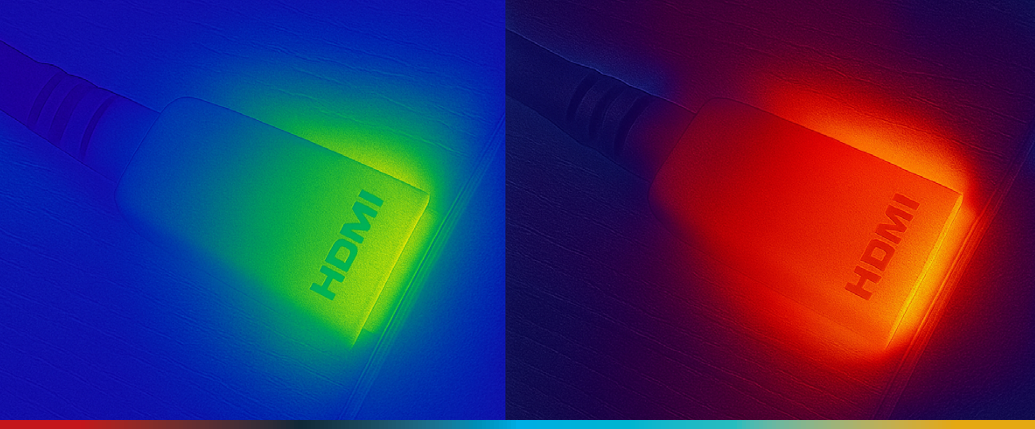
Just as crucial, quality assurance can’t be a spec sheet afterthought. The right vendors subject these cables to plug tests across common devices, EDID/HDCP protocol compliance checks, mechanical retention and bend‑radius testing, thermal analysis (including thermal imaging) and extended stress cycles. That’s how you get “plug and present” to behave like a guarantee, not a gamble.
· Overheating from low‑grade materials or inadequate shielding.
· EDID failures that force re‑plugs or reboots just to negotiate a sane resolution.
· HDCP incompatibility (1.4/2.3) leading to the dreaded blank screen on protected content.
· Spotty DisplayPort Alt Mode support, especially with Apple devices and tablets.
· Driver requirements or external power needs—totally unacceptable in plug‑and‑present spaces.
· True 4K@60Hz (4:4:4) for pixel‑perfect output—no secret 30 Hz caps.
· Full HDCP 1.4 & 2.3 compliance so content protection doesn’t nuke your show.
· Robust EDID handling for one‑and‑done negotiation.
· Integrated eMark chip and full DisplayPort Alt Mode compatibility.
· Gold‑plated connectors and a soft‑touch TPE jacket for durability and clean cable management.
Where the Rubber Meets the Road: Use Cases That Punish Weak Links
Use cases that make cable quality non‑negotiable:
· Corporate meeting rooms: Deterministic behavior from a revolving cast of visitor laptops. A driverless USB‑C‑to‑HDMI path with solid EDID/HDCP support prevents the “IT walk‑of‑shame.”
· Classrooms: Chromebooks/tablets come and go; cables take abuse. Mechanical reliability and bend tolerance matter as much as bit rates.
· Digital signage: Long duty cycles and thermals are unforgiving. Overheating is more than inconvenience—it’s downtime.
· Live events/rental: Mixed gear, tight timelines, zero patience for handshakes. Mechanical robustness + protocol compliance keep the show moving.
Your Practical Spec & Procurement Checklist
Save this for the next RFP, BOM review or onsite triage. It distills what the lab data and field failures have already taught us.
For HDMI (short‑run, device‑to‑device)
· Bandwidth: Must specify and prove HDMI 2.0 (18 Gbps) support for 4K60/4:4:4 paths.
· TMDS shielding: Each pair individually shielded; correct termination on standard pins (2, 5, 8, 11). Ask for their test regimen.
· DDC GND (pin 17): Explicit confirmation of grounding scheme—no compromises.
· EMC performance & certification: Look for Premium HDMI Cable certification and proven cross‑vendor compatibility testing.
· QA transparency: Automated cable tester results (pinout, shielding continuity, shorts), plus EDID/HDCP/CEC protocol checks.
For USB‑C to HDMI
· Resolution & chroma: 4K@60 (4:4:4) explicitly claimed—and validated with common sources.
· HDCP stack: 1.4 and 2.3 compliance published and tested.
· EDID handling: Vendor should demonstrate clean negotiation across mainstream laptops/tablets.
· DisplayPort Alt Mode & eMark: Required for predictable behavior on modern USB‑C hosts (including Apple).
· Thermal & mechanical: Evidence of thermal analysis, bend/retention testing, and extended stress testing.
· Driverless operation: Hard requirement for frictionless meeting flow; no external power.
How to Defend Cable Choices to Stakeholders
“Why spend more on cables?” Because the blended cost of a failure dwarfs the delta between commodity and pro‑grade:
Armed with lab‑driven criteria—shielding, grounding, bandwidth, protocol compliance, and proof through testing—you can justify premium cabling as risk mitigation, not upsell. Cite documented failure modes (overheating, EDID/HDCP issues, missing DP Alt Mode support) and the documented successes (stable 18 Gbps HDMI delivery; driverless 4K60 USB‑C paths) to make the case.
· Time: Onsite troubleshooting is expensive and embarrassing.
· Reputation: One black screen can undo months of trust.
· Opportunity: Downtime during a keynote, quarterly all‑hands or high‑stakes pitch has real revenue impact.
Field Playbook: Preventative Moves That Pay Off
· Standardize “known‑good” cable SKUs across your org. This shrinks your support surface area and accelerates replacements. Use models that have demonstrably passed automated and protocol‑level tests.
· Build a verification kit with a reputable cable tester, a few reference sources/displays, and a checklist for EDID/HDCP/CEC behavior. Make it part of commissioning.
· Document endpoint quirks. Even with good cables, some devices are… themselves. Maintain an internal compatibility matrix and update it after every deployment cycle.
· Train onsite teams to recognize cable‑caused symptoms: intermittent handshakes, resolution “sticking,” heat at the connector shell, or behavior that improves when swapping a short jumper.
· Design for serviceability. Route with generous bend radii, label both ends, and avoid strain points so the mechanical realities don’t undo your electrical diligence.
The Bigger Picture: Cables as “System Components,” Not Accessories
Treat cables like core components. Apply the same engineering mindset you’d use for extenders and switchers—spec verification, cross‑vendor testing, mechanical and thermal reliability—to the links between them.
The HDMI case study shows a textbook failure tied to missing shielding and improper grounding; replacing the cable with a compliant, tested model fixed the entire chain instantly. On the USB‑C front, attention to DP Alt Mode, eMark, thermal behavior and HDCP/EDID robustness is what turns “should work” into “does work.”
Final Word: Reliability You Can Feel at the Click of “Present”
End users don’t think about TMDS pairs, pin‑17 grounds or eMark chips. They think about walking into a room, plugging in and seeing their content on screen—now. The gap between that expectation and reality is where integrators live, and where small components carry big consequences.
So the next time you’re refining a BOM, approving a substitute or diagnosing a stubborn black screen, remember what the lab has already shown:
That’s how you turn “just a cable” into a design decision you’ll never have to answer for in front of a crowded room.
For HDMI
· Demand 18 Gbps capability, per‑pair shielding with correct termination, correct DDC grounding and real EMC performance—validated by automated and protocol testing.
For USB‑C to HDMI
· Require 4K60 4:4:4, HDCP 1.4/2.3, robust EDID handling, DP Alt Mode + eMark, plus thermal and mechanical validation—driverless and predictable.
Sources: Lab findings and product test methodologies summarized from two white papers on HDMI cable integrity and USB‑C‑to‑HDMI adapter reliability, including case study evidence, compliance requirements and QA procedures.